FitVibe:
A Comprehensive Fitness App
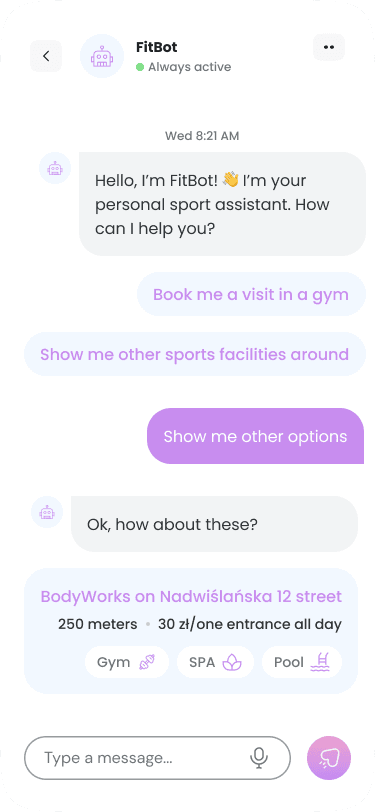
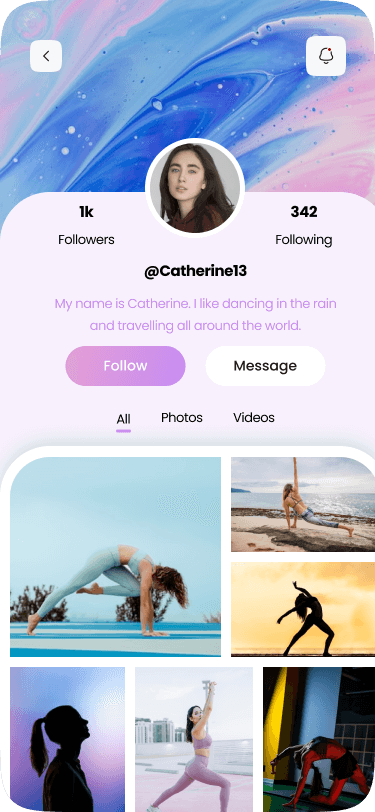
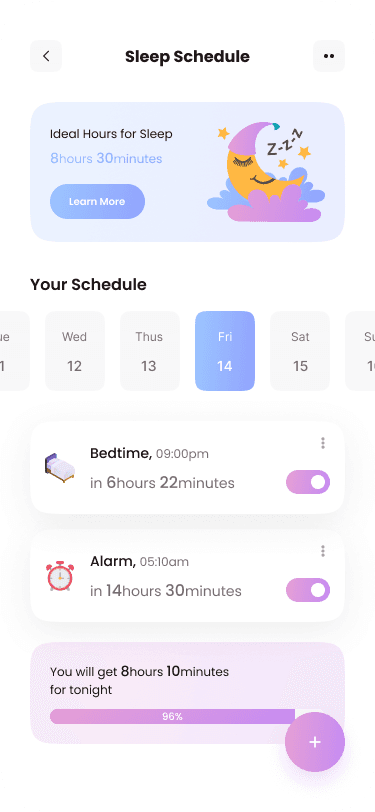
FitVibe is a comprehensive fitness app designed for fitness enthusiasts and individuals pursuing a healthy lifestyle. It offers a range of features including workout and diet planners, progress tracking, social interaction, gamified challenges, and an e-commerce shop. With a focus on personalized guidance and community support, FitVibe caters to passionate fitness enthusiasts and those seeking to improve their well-being.
CATEGORY:
Mobile Design
ROLE:
UX Designer,
UI Designer,
UX Researcher
TOOLS:
Figma

Project Overview:
The Product: FitVibe Fitness App
Comprehensive fitness app for fitness enthusiasts and individuals seeking a healthy lifestyle
Features:
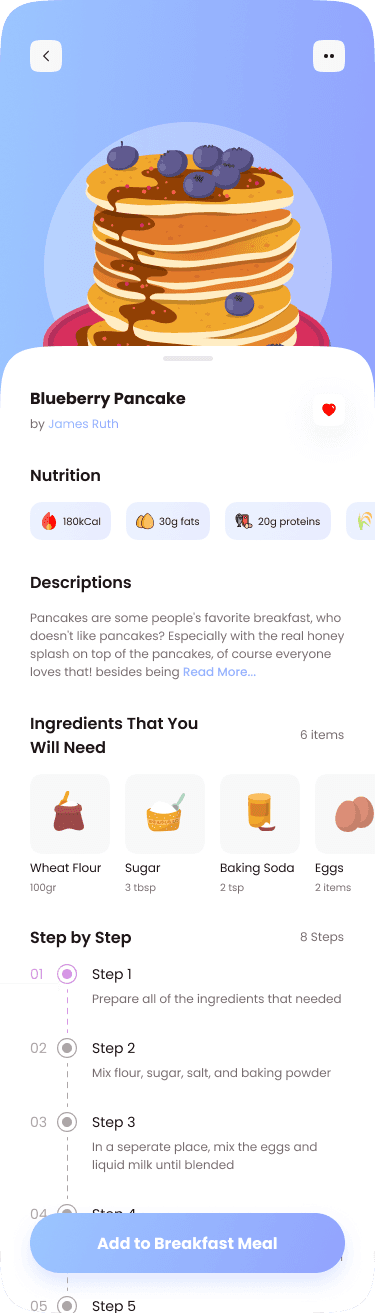
Workout and diet planners
Progress tracking
Social interaction
Challenges with gamification
E-commerce shop
Target users:
Passionate fitness enthusiasts
Individuals seeking personalized guidance and community support
Problem Statement:
Many individuals struggle to maintain a consistent fitness routine and lack personalized guidance and support in their fitness journey.
Goal:
The goal of the project is to design FitVibe, a comprehensive fitness app that addresses the pain points of users by providing personalized workout and diet plans, progress tracking, social interaction, challenges, and access to fitness-related products. The aim is to empower users to achieve their fitness goals, stay motivated, and build a supportive fitness community.
My Responsibilities:
User research
Information architecture
Wireframing
UI designing
Prototyping
Usability testing
Survey
Data analysis
Challenges:
One of the challenges we faced was the absence of an existing platform or app that integrated workout and diet planners, progress tracking, social media, gamified challenges, and an e-commerce shop all in one. This required us to design and develop FitVibe from scratch, incorporating all these features into a cohesive and user-friendly app without the guidance of existing solutions.
Gathering and incorporating user feedback in a timely manner was a challenge.
Design Process:
Used the Design Thinking approach for solving this problem. To practice design thinking we followed the below process.
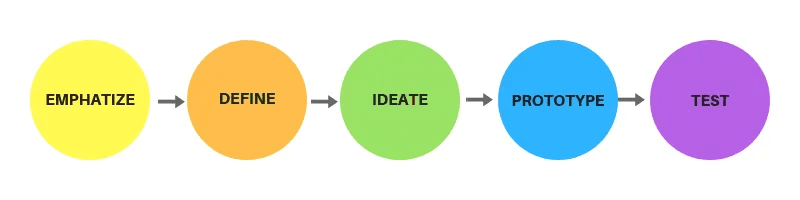
Empathize Phase
In this phase, a survey was conducted to gain insights on user, their requirements and pain points.
User Research: Ideation Phase Survey
During the ideation phase of FitVibe, a survey was conducted with 30 participants to gather feedback on their fitness habits and preferences. The survey helped inform the decision-making process regarding which features to include in the app.
In the user research phase, we conducted qualitative and quantitative research to understand our target users better. Through interviews and surveys, we gathered insights on user behaviors, preferences, and pain points. The research helped us validate assumptions and refine our understanding of user needs. These findings guided our design decisions and ensured a user-centered approach to the project.
User Research: Pain Points
Limited Access to Advanced Equipment Users express frustration over the lack of access to advanced gym equipment, highlighting the need for alternative exercises or modifications that can be performed with basic equipment.
Lack of Knowledge and Guidance Participants struggle with limited knowledge about exercise and nutrition, necessitating the inclusion of educational resources, tutorials, and expert guidance within the app to support their fitness journey.
Time Constraints and Busy Schedules Users with busy schedules find it challenging to prioritize exercise and often struggle to find time for workouts. Designing time-efficient routines and integrating reminders or scheduling features can address this pain point.
Lack of Motivation and Accountability Users express difficulty in staying motivated and accountable to their fitness goals. Incorporating motivational features, such as progress tracking, rewards, and social support, can help address this challenge and enhance user engagement
Define Phase
In this phase, we created personas and user journey map to understand more about the user's problems.
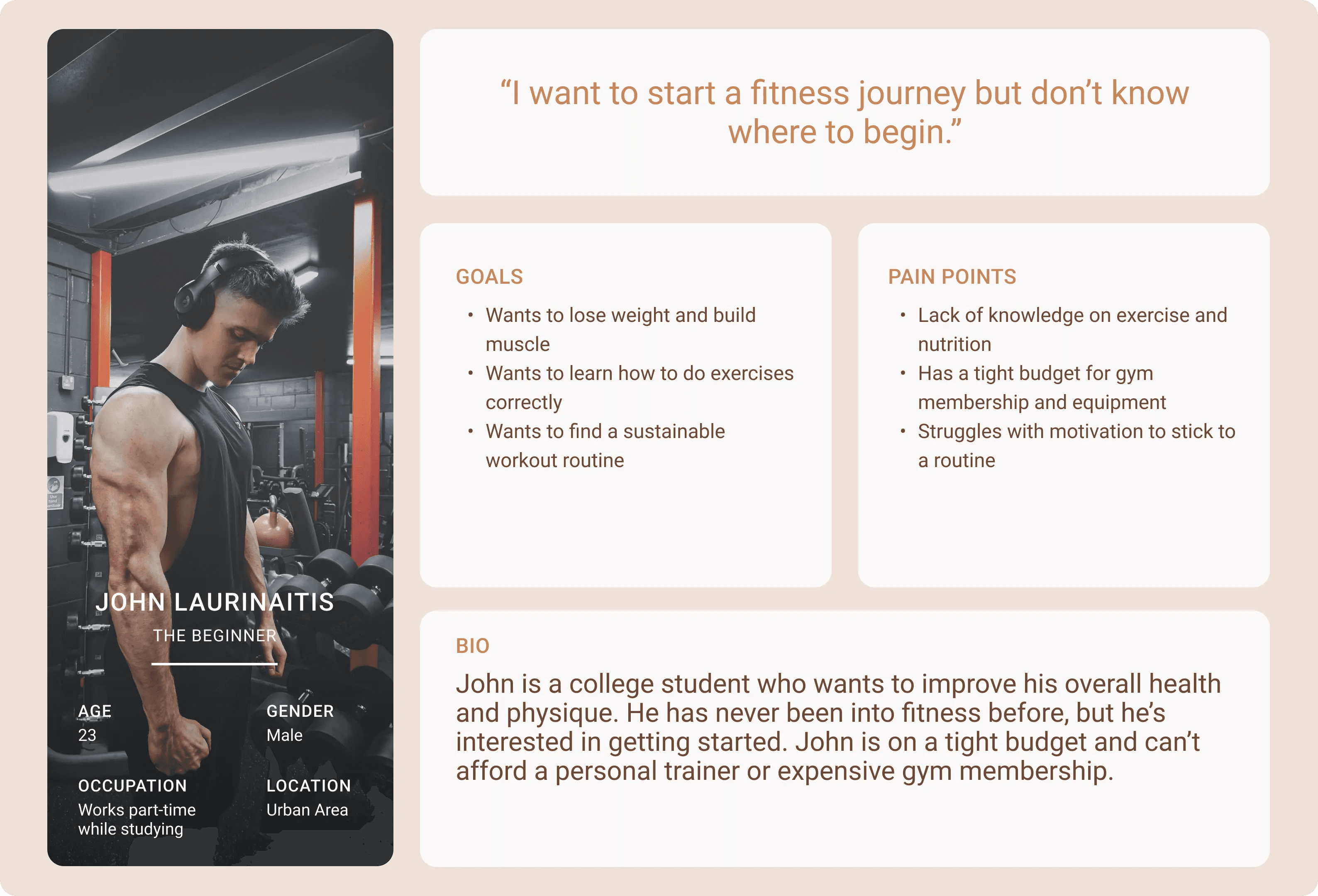
Persona: JOHN LAURINAITIS
Problem statement: John is a beginner who needs guidance and support in starting his fitness journey because he lacks knowledge on exercise and nutrition.
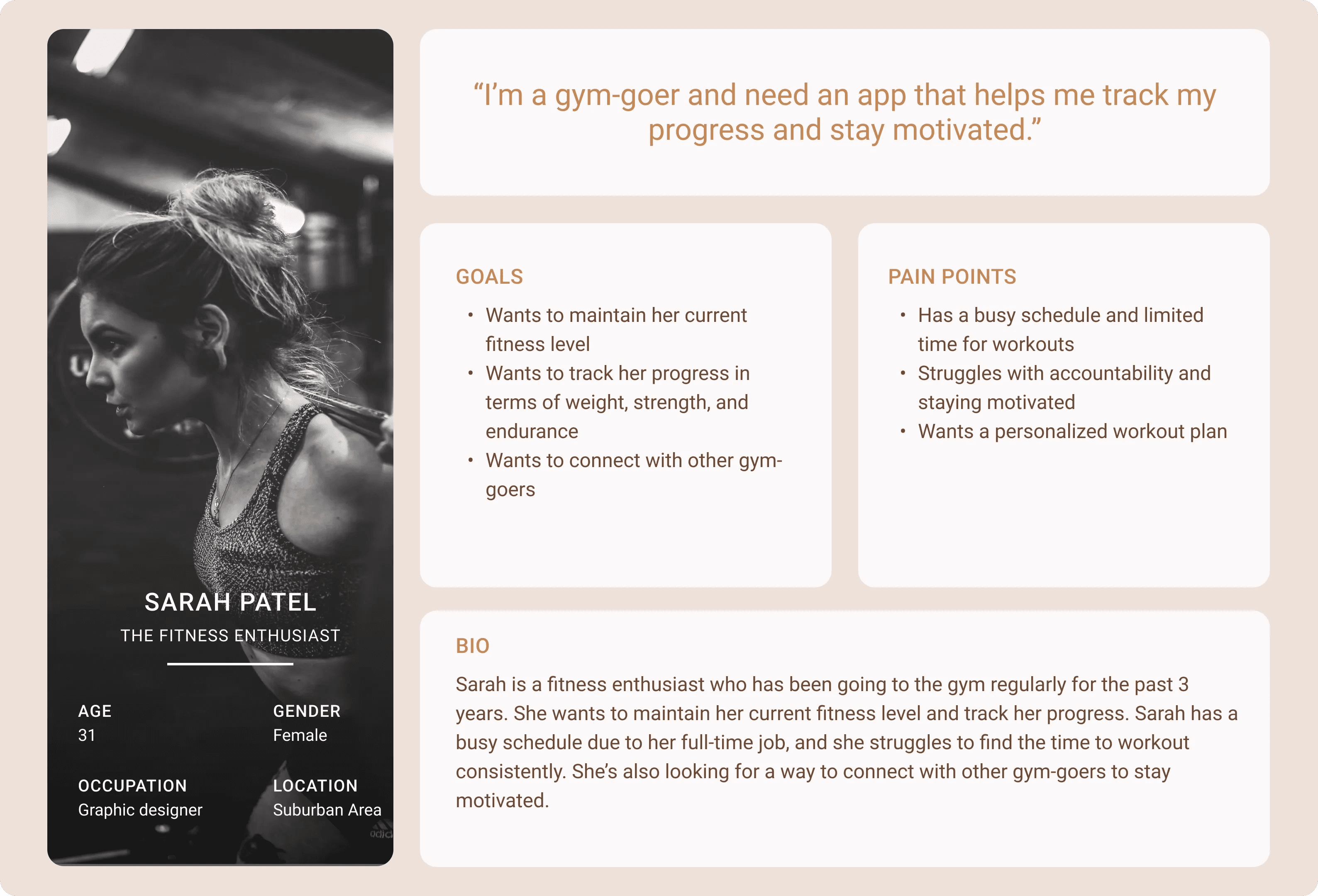
Persona: SARAH PATEL
Problem statement: Sarah is a busy gym-goer who needs a way to stay motivated and accountable to her fitness goals because she struggles with time constraints and maintaining a consistent workout routine.
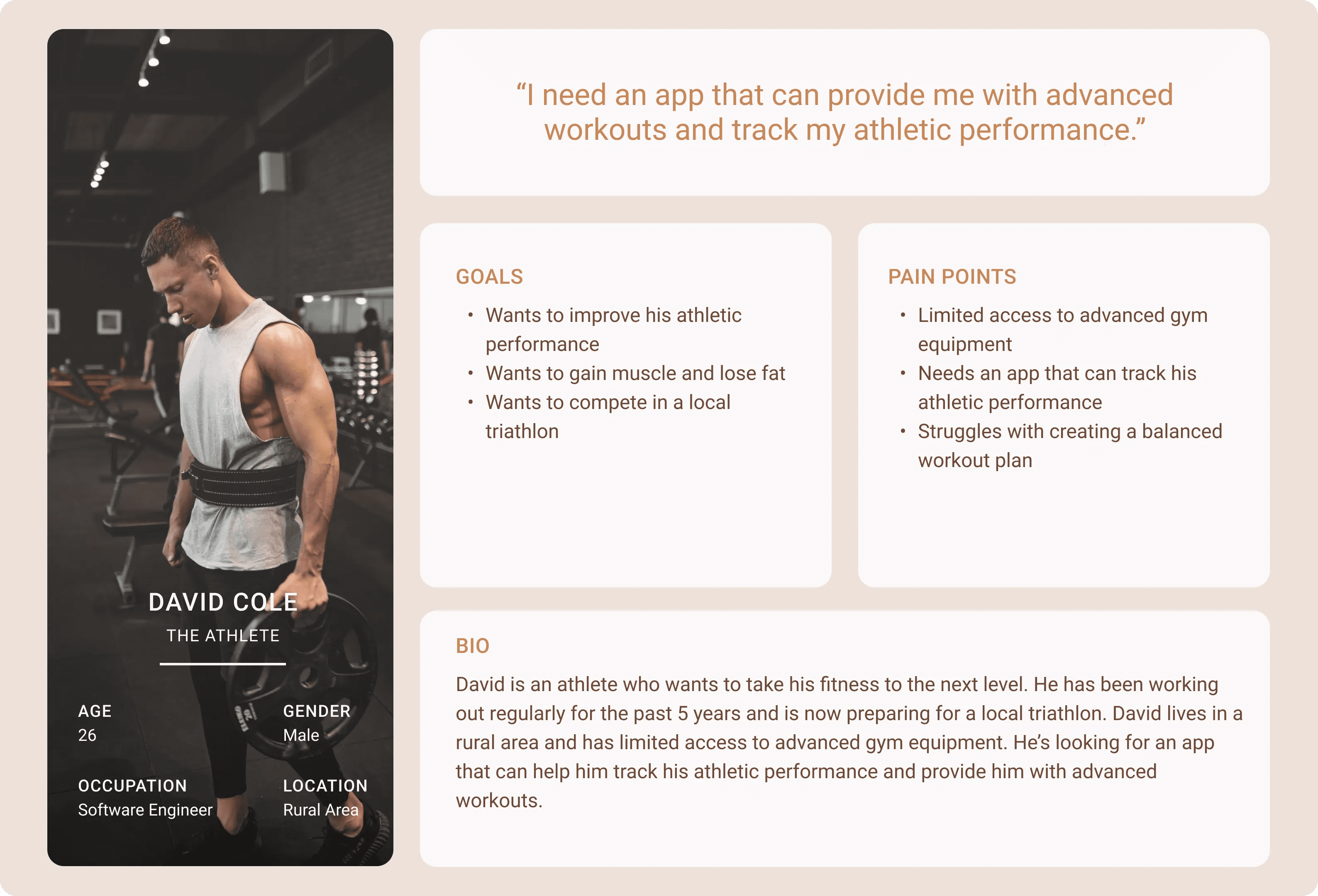
Persona: DAVID COLE
Problem statement: David is an athlete aiming to improve his athletic performance who needs an app that can track his performance and provide advanced workouts because he has limited access to advanced gym equipment and wants to optimize his training.
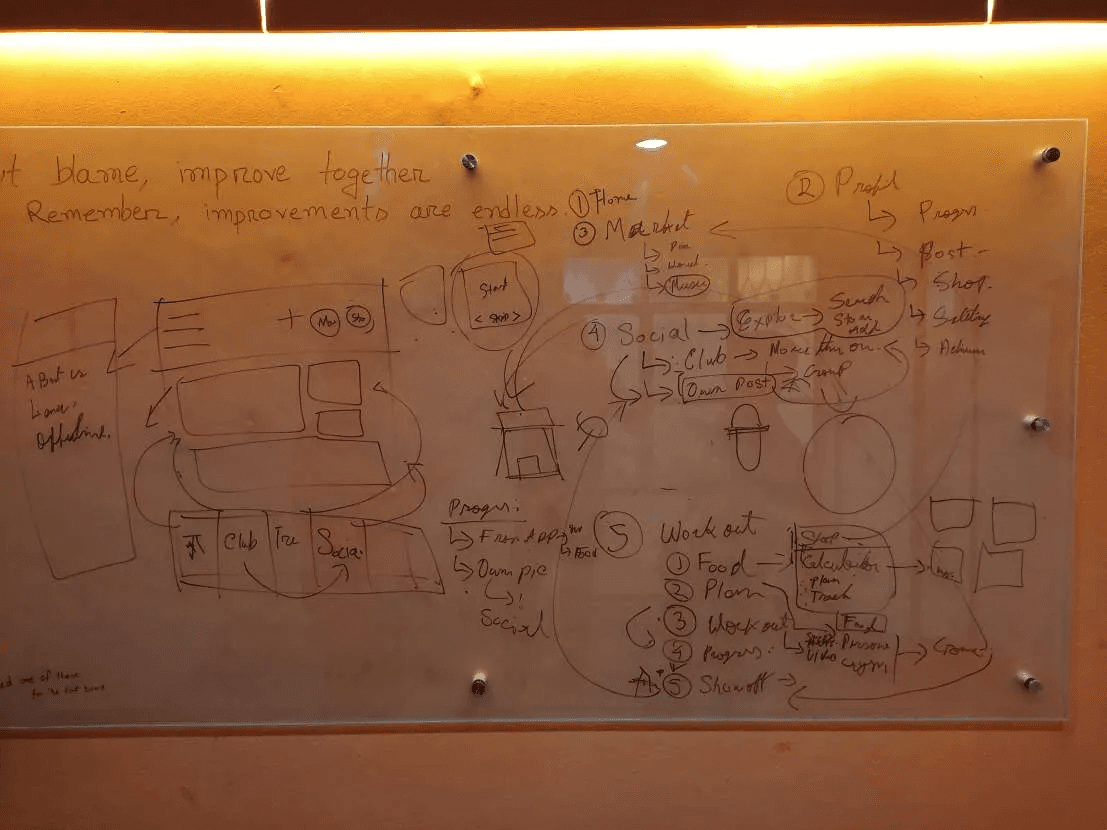
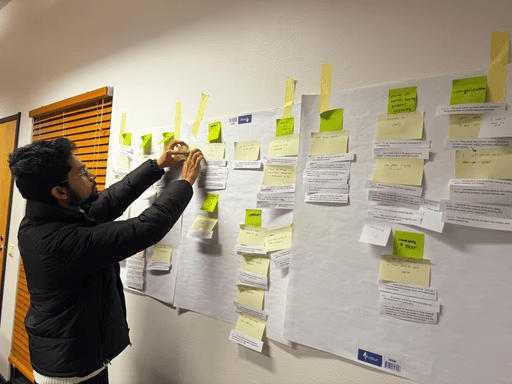
Whiteboarding
The whiteboarding session was conducted to visualize and map out the user's journey through the FitVibe fitness app.
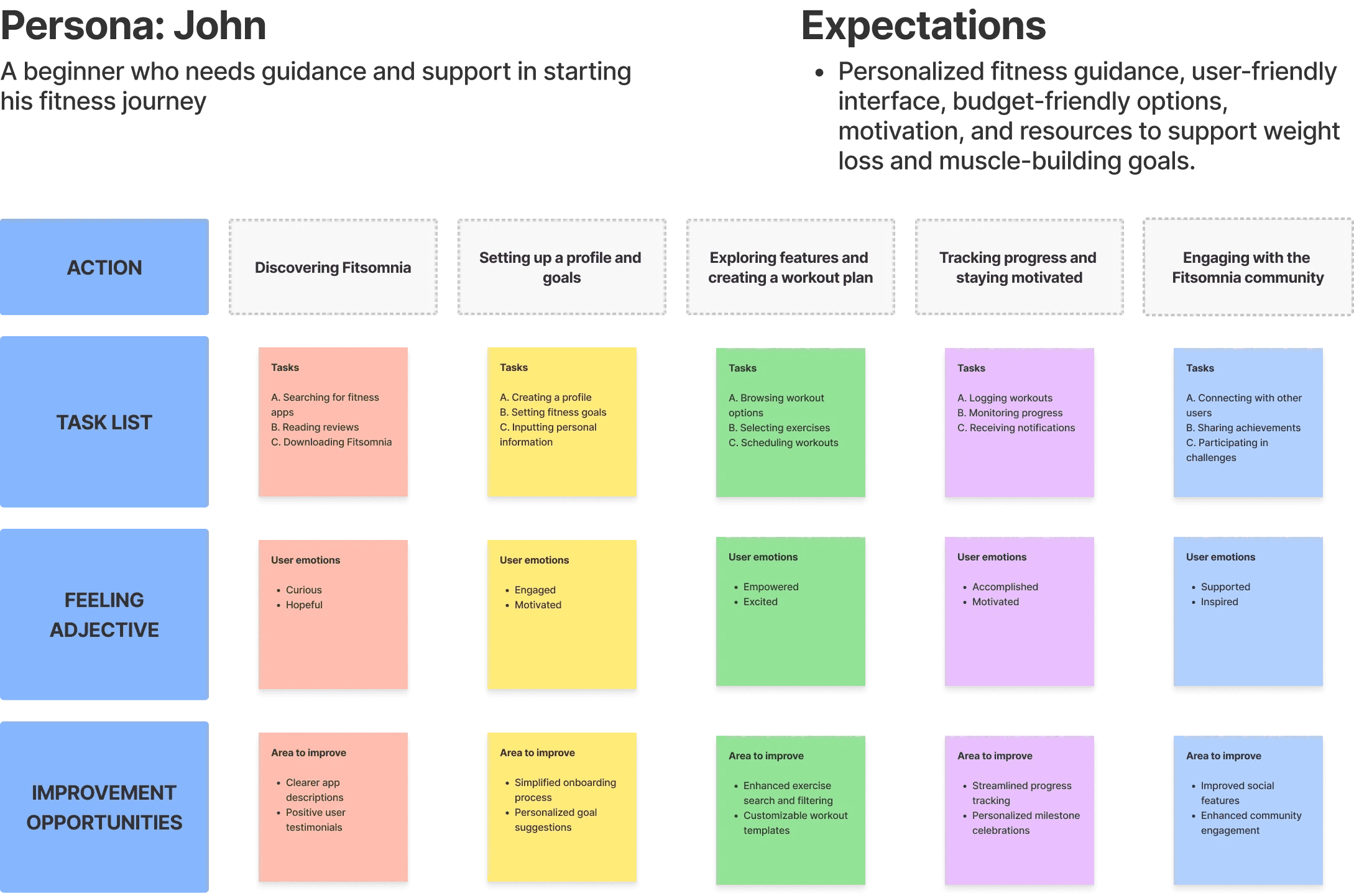
User Journey Map
For the user journey map, we documented the actions, tasks, emotions, and improvement opportunities of the user experience in FitVibe.
Ideate Phase
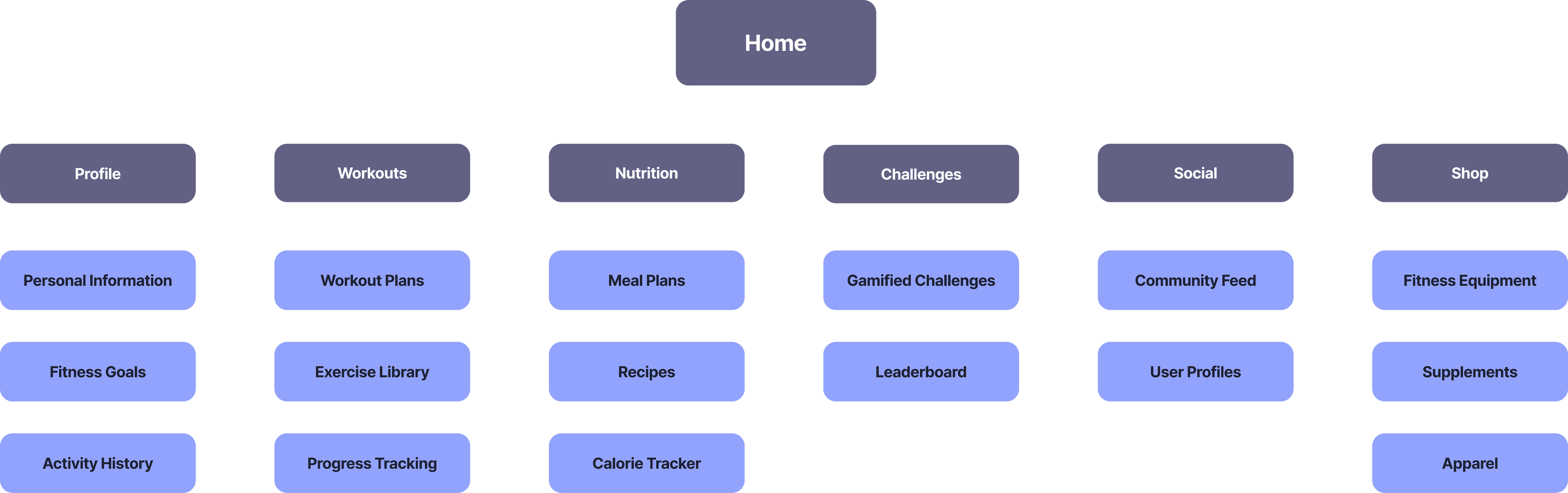
For the information architecture, the goal was to structure and organize the content and navigation of the FitVibe fitness app in a logical and intuitive way. The thought process involved analyzing user needs, defining categories and hierarchies, and creating a clear and user-friendly information structure.
Sitemap
The sitemap serves as a visual representation of the structure and organization of the FitVibe fitness app. It outlines the main pages and their hierarchical relationships, providing a clear overview of the app's content and navigation.
Prototype Phase
Followed the below steps in the design phase:
Paper Sketches
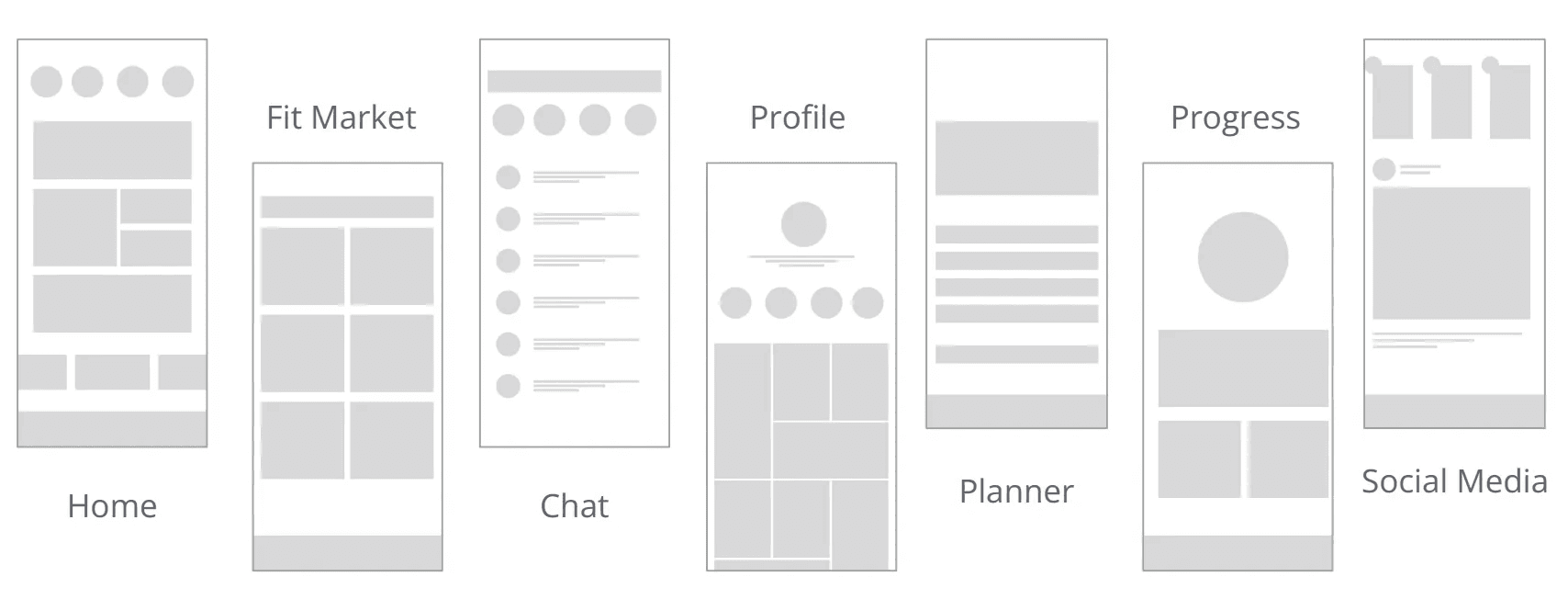
Low-fidelity wireframes with variations
High-fidelity wireframes
Final Design
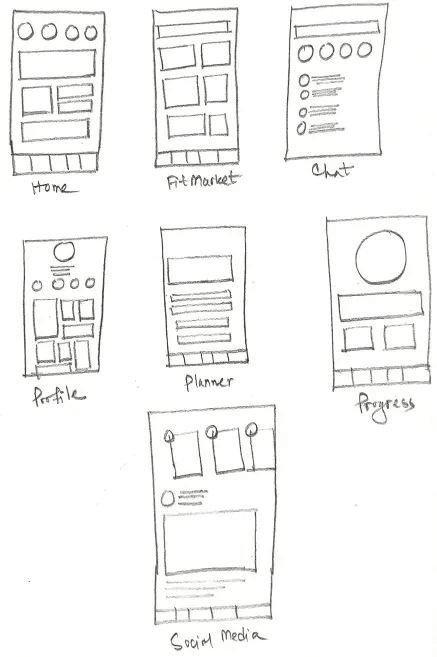
Paper Wireframes:
The paper wireframes for FitVibe served as a preliminary exploration of the app's layout and functionality.
Digital Wireframes:
The paper wireframes for FitVibe served as a preliminary exploration of the app's layout and functionality.
High-fidelity Wireframes:
The paper wireframes for FitVibe served as a preliminary exploration of the app's layout and functionality.
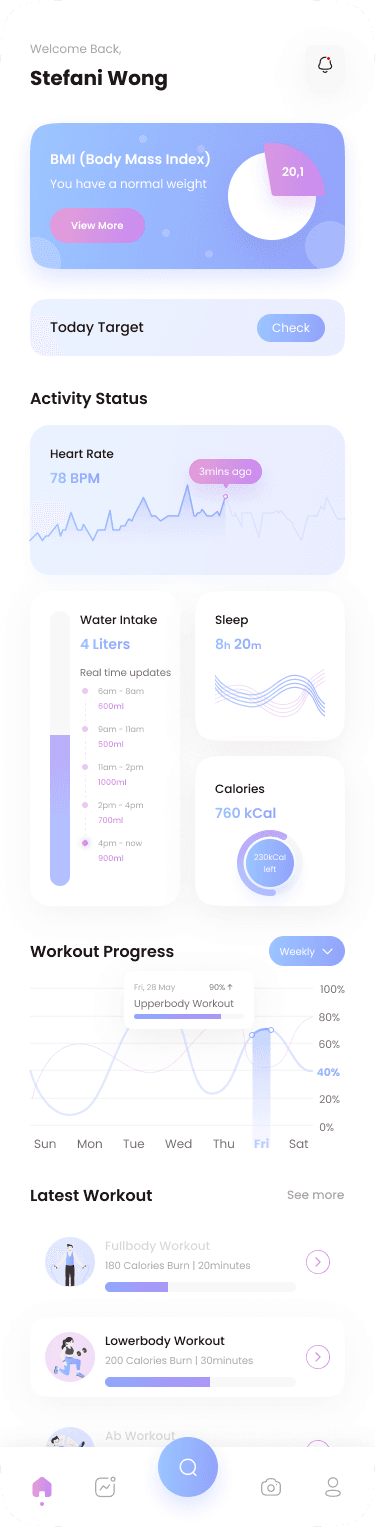
Dashboard
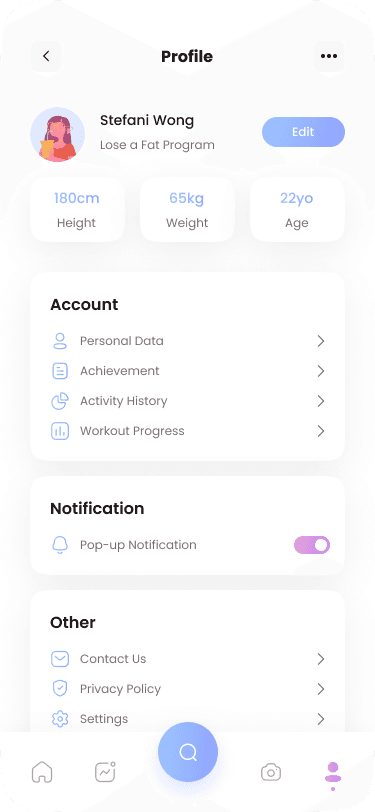
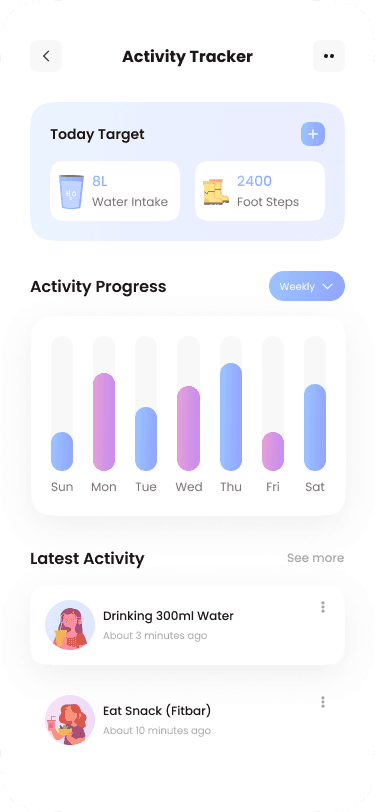
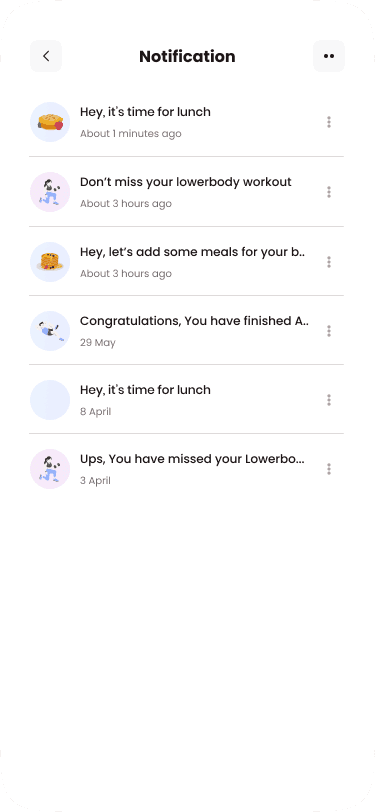
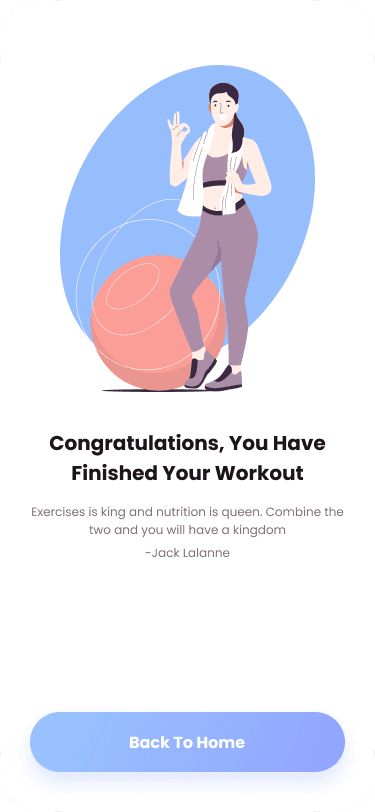
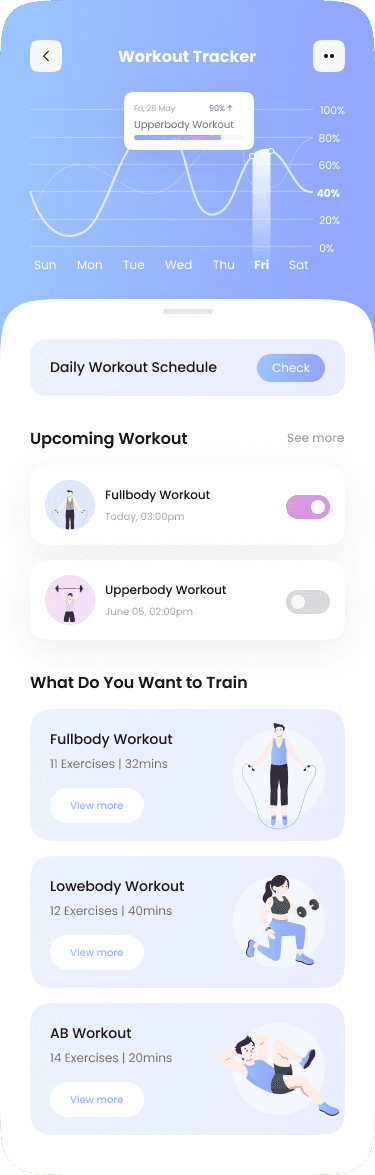
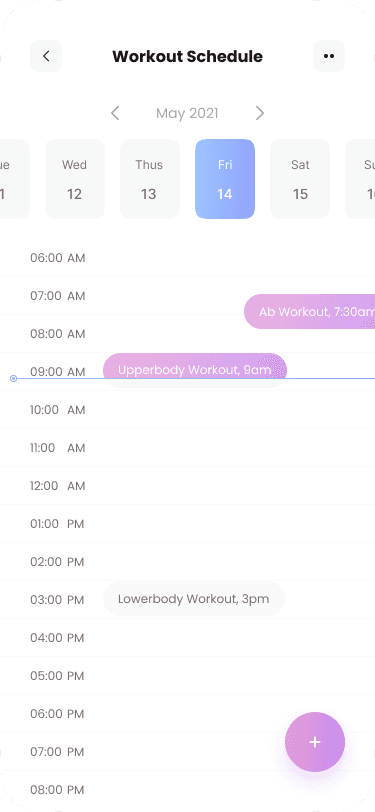
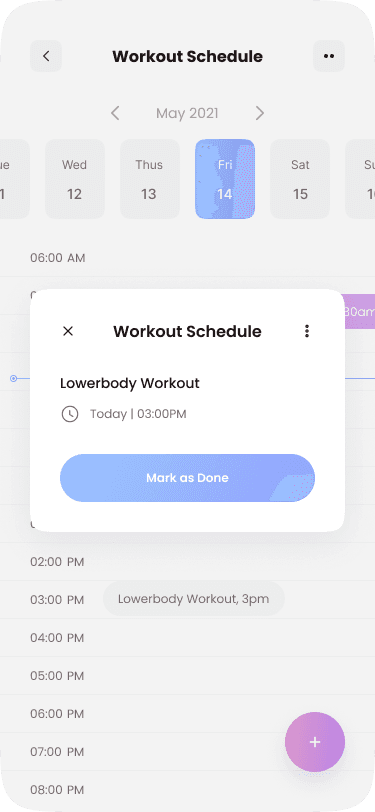
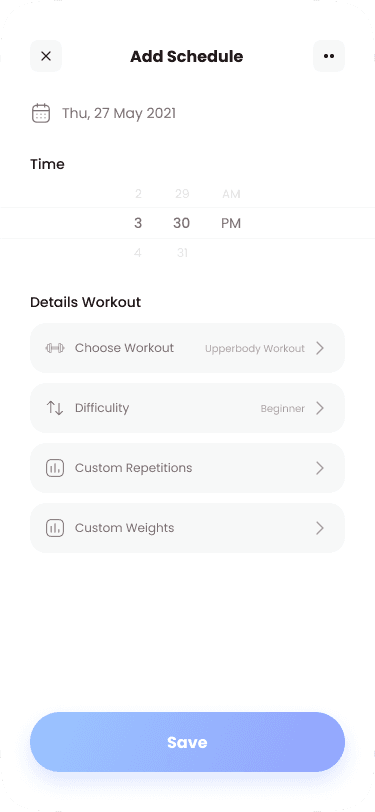
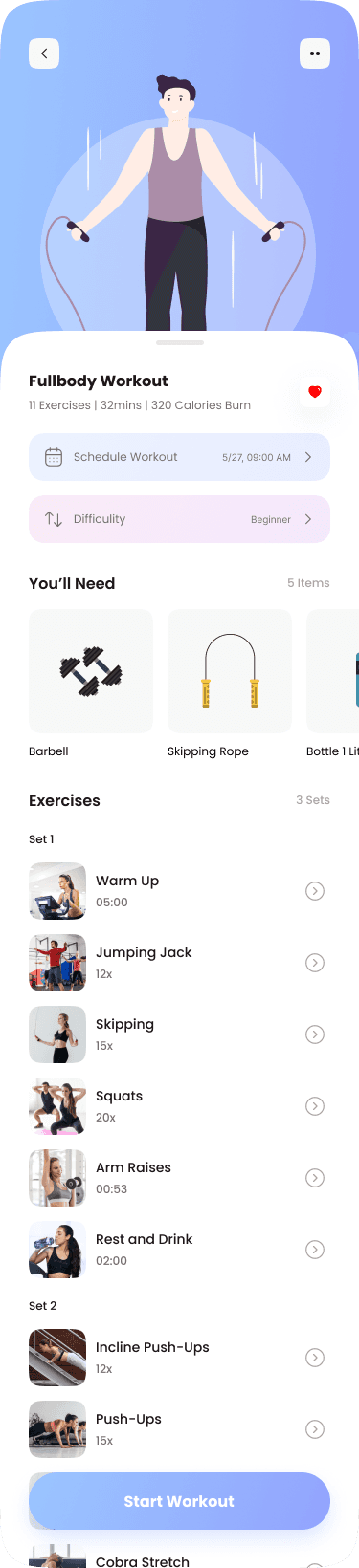
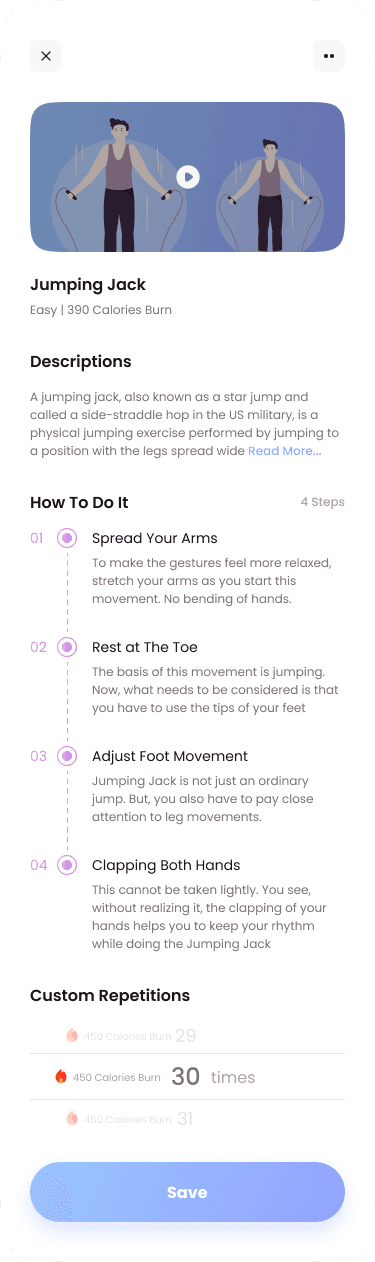
Workout Tracker
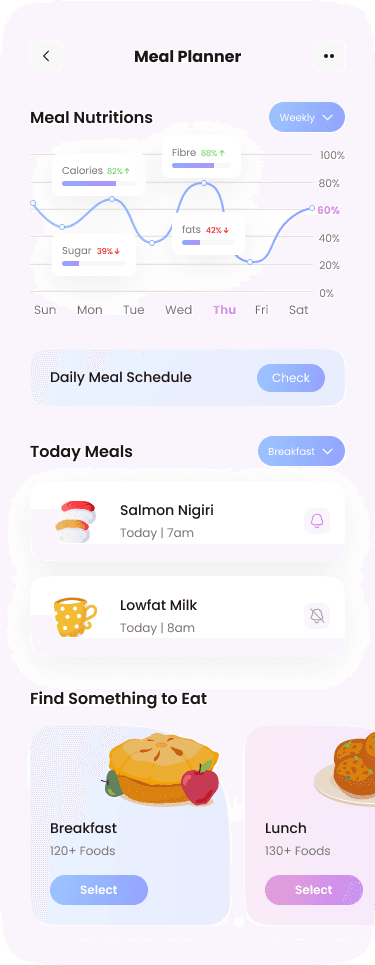
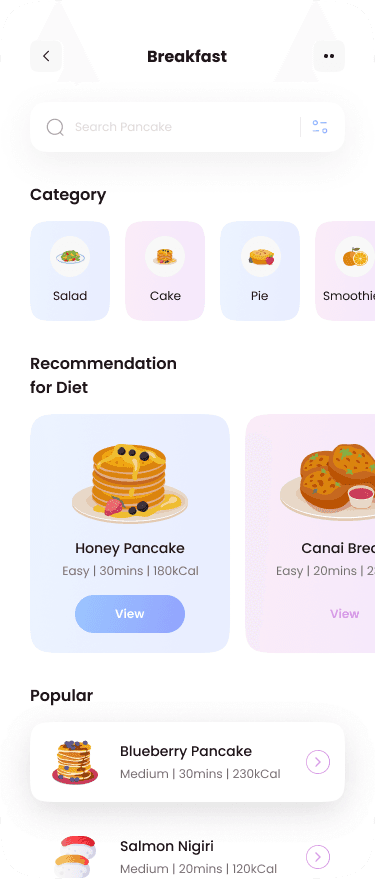
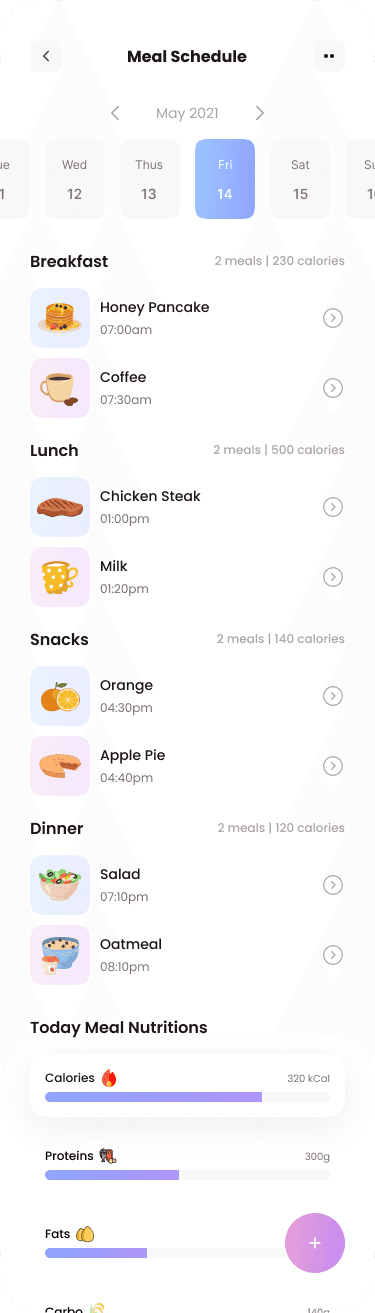
Meal Planner
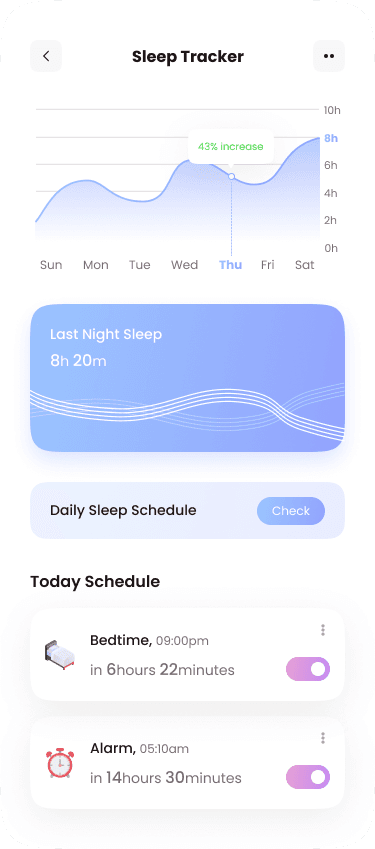
Sleep Tracker
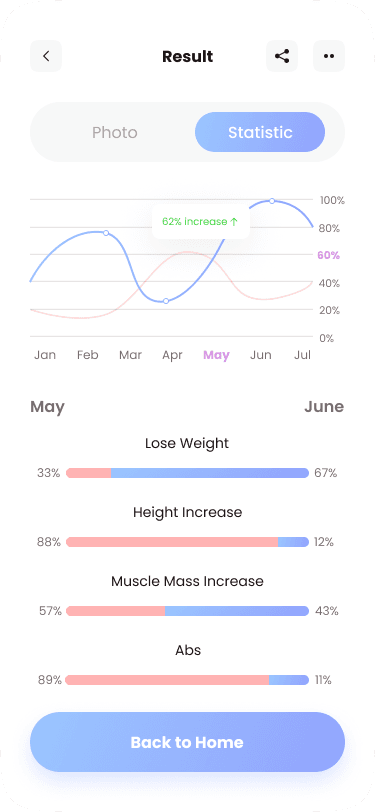
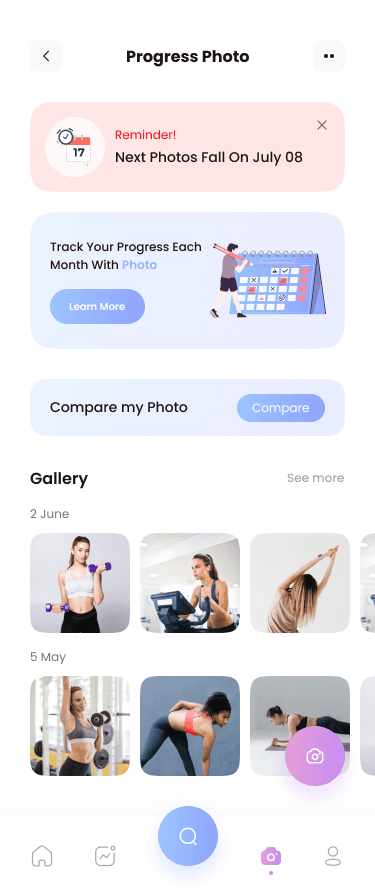
Progress Tracker
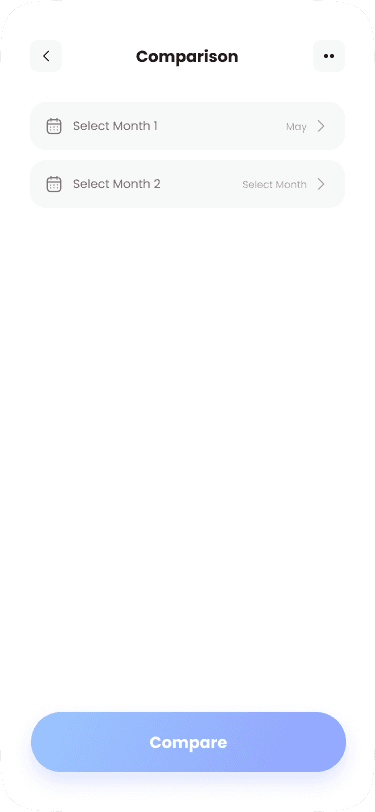
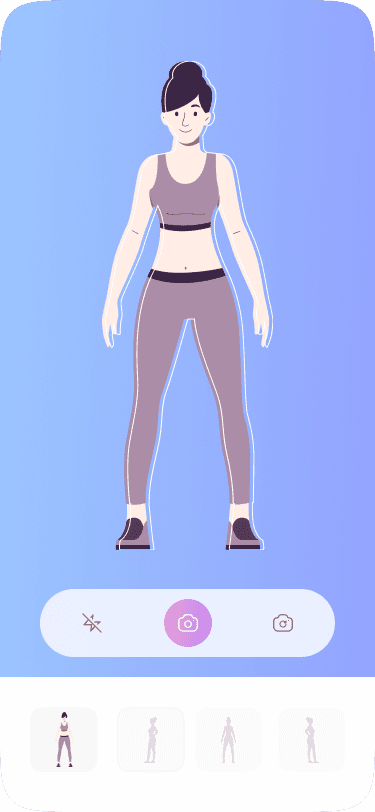
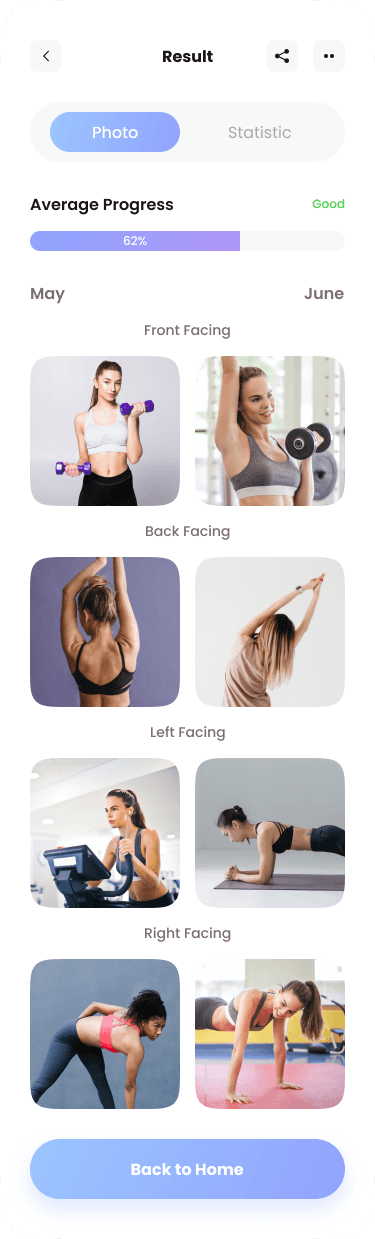
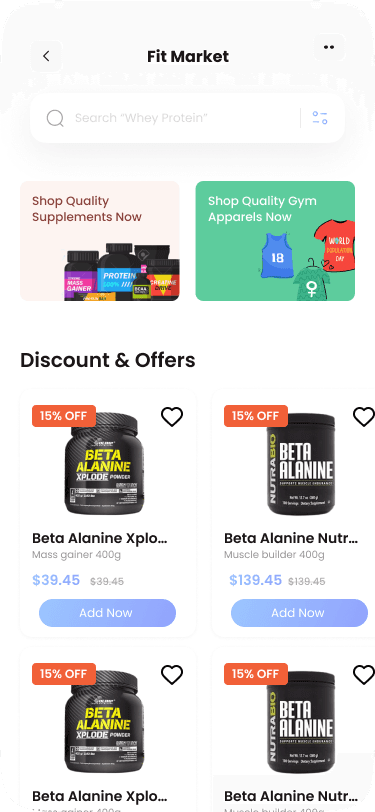
Marketplace
Social
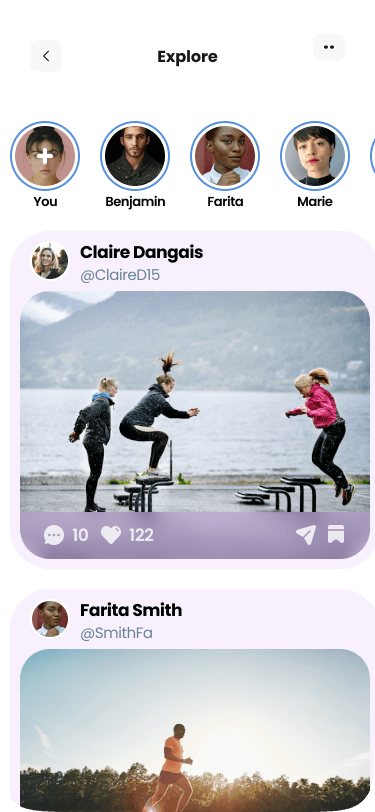
Test Phase
In this phase, we conducted usability studies with over 12 participants of varying fitness levels and ages to evaluate the FitVibe app's user experience.
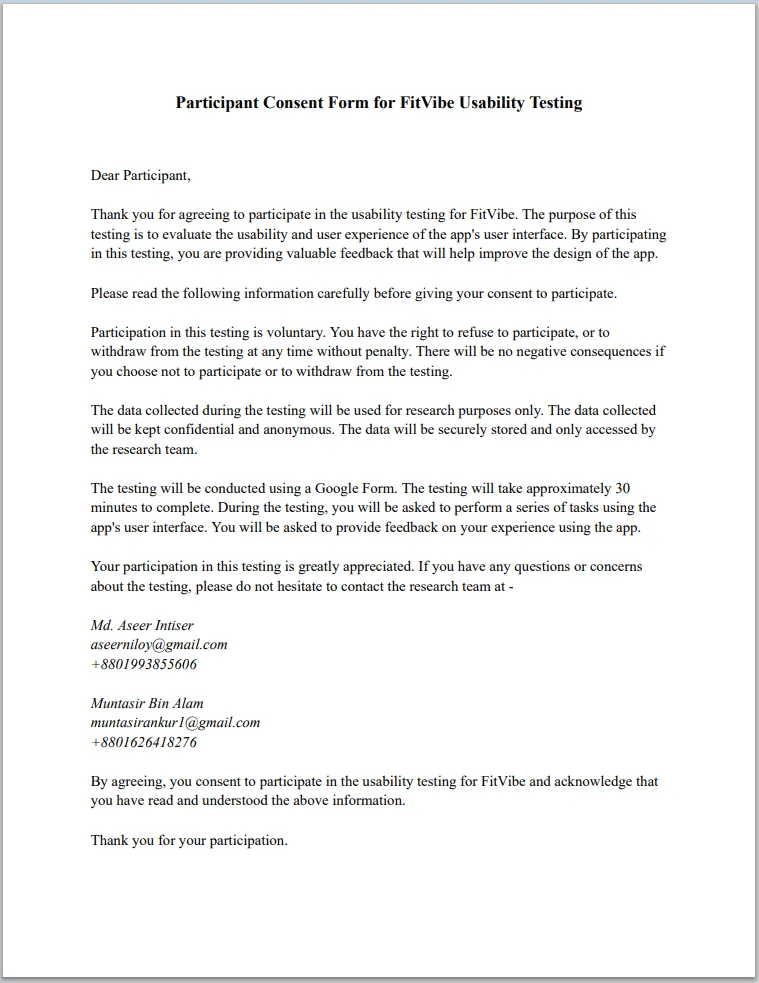
Usability Study: Privacy Assurance
A consent form was utilized to obtain participants' consent for the usability study.
This approach ensured ethical compliance and protected participants' privacy throughout the research process.
Usability Study: Findings
We conducted usability studies with over 12 participants of varying fitness levels and ages to evaluate the FitVibe app's user experience.
Positive feedback on the user-friendliness and navigation of the FitVibe app.
Participants appreciated personalized workout and diet planners, progress tracking, and social media features.
Areas for improvement identified, such as clearer labels and instructions for certain features and a more intuitive e-commerce shop interface.
Some participants reported difficulties with entering and tracking progress, particularly in the nutrition tracking feature.
Usability score (SUS) of 75.21 out of 100, indicating above-average usability.
Overall, valuable feedback obtained to enhance user experience and make improvements to the app's design.
Research Insights: System Usability Scale (SUS)
The SUS is a widely used and validated questionnaire that measures the perceived usability of a system.
The questionnaire consists of 10 questions, each rated on a 5-point Likert scale (1 = strongly disagree, 5 = strongly agree). The scores from each question are then summed and multiplied by 2.5 to get a score out of 100.
Research Insights: SUS Questionnaire
These are the 10 SUS questions used in the interview for usability study, each rated on a 5-point Likert scale (1 = strongly disagree, 5 = strongly agree) -
I think that I would like to use this system frequently.
I found the system unnecessarily complex.
I thought the system was easy to use.
I think that I would need the support of a technical person to be able to use this system.
I found the various functions in this system were well integrated.
I thought there was too much inconsistency in this system.
I would imagine that most people would learn to use this system very quickly.
I found the system very cumbersome to use.
I felt very confident using the system.
I needed to learn a lot of things before I could get going with this system.
Research Insights: SUS Analysis
For Question 1:
5 respondents gave 3 in likert-scale
6 respondents gave 4 in likert-scale
1 respondent gave 5 in likert-scale
Step 1 - Add up the score contribution from each question:
For Question 1:
(3 x 5) + (4 x 6) + (5 x 1) = 37
Similarly done the calculation for each question.
Step 2 - Multiply the total by 2.5:
SUS score = (37+29+43+21+38+24+34+29+36+21) x 2.5 = 902.5
Step 3 - Divide the SUS score by the number of respondents:
902.5 / 12 = 75.21
Research Insights: SUS Result
The overall SUS score is 75.21 out of 100.
This indicates that the usability of our product is above average, but there is still room for improvement. We can use this score to compare the usability of our product with other products or to track changes in usability over time.
Takeaways:
Throughout the FitVibe project, I discovered the value of conducting user research and using an iterative design process. By considering the needs and preferences of users, I gained a better understanding of how to create designs that enhance user satisfaction and engagement. These experiences taught me how to create meaningful and user-centric digital experiences.